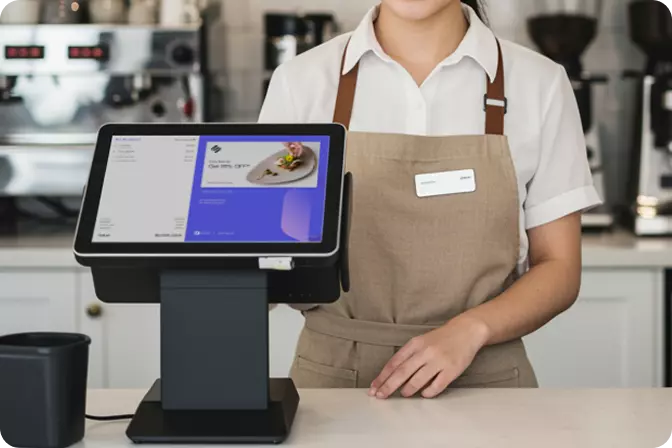


A POS app with employee access control is a point-of-sale (POS) system that determines who may do what, when, and from which device. A cashier can log in only while their shift is running, sees only the menus relevant to their duties, and needs a superior's approval for sensitive actions such as voids, refunds, or large discounts.
For business owners, this matters because it helps prevent fraud by employees. A POS app with access control records who carried out each transaction, who changed data, and who attempted to act beyond their authority.
As of 31 December 2025, the Single MSME Database recorded 30,209,069 business units, of which 99.70 per cent were micro-enterprises. The Ministry of MSMEs also stated in July 2026 that MSMEs account for roughly 97% of employment. In other words, almost every small business entrusts its money and stock to employees.
While a business remains small, that trust is sufficient. Once outlets multiply and the owner can no longer stand beside every cashier, trust-based control must be replaced by system-based control.
Three patterns stand out. First, the fraud ran for months or years in small daily amounts, which made it easy to miss. Second, each case came to light because the owner grew suspicious or ran an audit, not because a system raised an alert. Third, the methods, namely unrecorded transactions, manipulated deposits, and diverted cashless payments, are gaps that shift controls, approvals, cash reconciliation, and audit trails can narrow.
OMNI POS is a cashier application from OMNI that provides employee access control. Every user receives only the access their duties require. In practice, the system governs five things:
Access control not only protects the owner and the business's operations. It also protects honest employees from unfounded accusations when the till does not balance.
A manager sets the schedule, and the system then opens access only to the cashier on duty during those hours. Outside that window, login attempts are refused and logged.
Define clear roles: owner, outlet manager, supervisor, cashier, and stock clerk. A cashier needs only to record sales, open and close shifts, and view their own transactions. Financial reports, pricing settings, and full customer data remain with managers and owners.
Shared accounts are the enemy of accountability. If five cashiers use one account, no one can be held responsible. In OMNI POS, every person has a personal PIN, a photo is captured automatically at login, the screen locks automatically when idle, and managers can reset a PIN when staff changes.
High-risk actions cannot be completed by a cashier alone and require confirmation from a supervisor or manager. Examples include:
The system requests a supervisor's PIN and a written reason. Every sensitive action therefore carries two names: the person who performed it and the person who approved it.
OMNI POS records the opening float, cash in, and cash out throughout the shift. At closing, the system calculates any variance automatically. It applies a blind close: the cashier counts the cash without seeing the system's expected figure, so there is no opportunity to adjust the count.
An audit trail is a tamper-resistant record of who did what, when, and on which device, including the values before and after each change. Without it, investigating a shortfall relies on memory and speculation.
A cashier account should work only on the assigned device and outlet. This closes the door on using an account from a personal phone or from another branch without the owner's knowledge.
A mature system flags unusual patterns automatically, such as consecutive voids, abnormal discount totals, or frequent no-sale events. Monitoring sales reports by cashier also helps identify staff who process an unusually high volume of discounted transactions.
Internet connectivity at many business premises in Indonesia is not always stable. With OMNI POS, shift rules, PINs, and approvals continue to apply while the device is offline or the connection is unstable, and all logs synchronise intact once the connection is restored.
Prevent potential fraud from your employees, right from the POS app. Contact OMNI today for further consultation about OMNI POS, FOR FREE!

 EN
 ID