
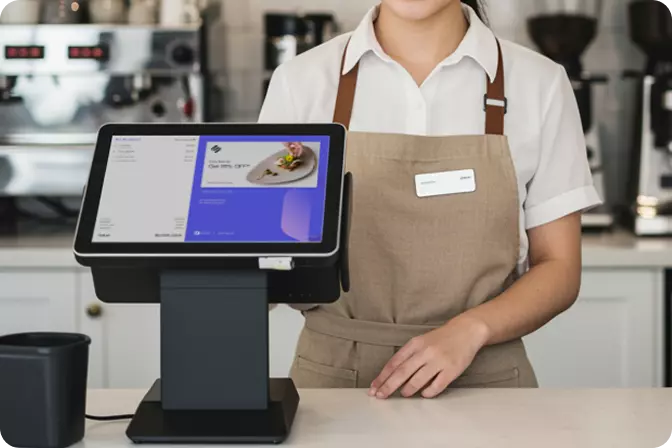

A restaurant POS app is a software-based point-of-sale system that manages transactions, orders, inventory, and business reporting in real time. In Indonesia, the adoption of digital cashier solutions has been growing rapidly — driven by an F&B industry worth over IDR 700 trillion annually and increasingly complex operational demands.

A restaurant POS app is far more than a digital replacement for a traditional cash register. It is a connected ecosystem that brings together the dining floor, the kitchen, inventory management, and financial reporting into one integrated platform.
In practice, the system works by:
The outcome is a smoother operation, fewer order mistakes, and the kind of business data that helps owners make well-informed decisions.
Not every restaurant has the same needs. Here are the main categories, organised by business model:
1. Full-Service Restaurant (FSR) POS
Designed for restaurants with table service, dedicated waitstaff, and complex menus. Core features include table management, split billing, and KDS integration. Solutions like OMNI POS for full-service restaurants are built specifically for this type of operation.
2. Quick Service Restaurant (QSR) POS
Speed is the priority. These systems feature streamlined interfaces, queue management, and direct integration with online delivery platforms such as GoFood, GrabFood, and ShopeeFood.
3. Café & Coffee Shop POS
Focused on handling order customisation — drink sizes, sugar levels, add-ons — alongside ingredient management that minimises waste at the item level.
4. Mobile / Tablet POS
A flexible solution for food trucks, pop-up stalls, or outdoor dining areas. Runs on tablets or smartphones and supports offline transactions when connectivity is unavailable.
5. Cloud POS
All data is stored on remote servers and accessible from anywhere. The most practical choice for businesses operating across multiple locations.
Before committing to a system, make sure the POS you are considering includes the following:
|
Feature |
Why It Matters |
|
Table & order management |
Reduces miscommunications and accelerates service |
|
KDS integration |
Improves kitchen accuracy and eliminates paper tickets |
|
Real-time reporting |
Monitor outlet performance at any time, from anywhere |
|
Automated inventory tracking |
Prevent stockouts during your busiest hours |
|
Loyalty programme & CRM |
Retain customers and increase repeat visits |
|
Multi-payment support |
QRIS, credit/debit cards, e-wallets, and cash |
|
Online delivery integration |
Manage all order channels from a single screen |
|
Multi-outlet access |
Oversee several branches from one central dashboard |
F&B businesses across Indonesia that have transitioned to integrated POS systems consistently report the following improvements:
A concrete example: a local restaurant chain in Jakarta that was losing around 5–8% of daily revenue due to manual recording gaps recovered nearly all of it after implementing an integrated POS system. The solution was not stricter oversight — it was the right tool.
More features do not always mean better results. Choose based on what fits your actual operation:
You can also explore the full ecosystem of POS, KDS, and CRM tools at getomni.id to see how each component works together.
Most modern POS systems include an offline mode — transactions continue to process locally and sync automatically once the connection is restored. That said, features like real-time reporting and delivery integration do require an active internet connection to function.
Pricing varies widely, from free basic tiers designed for small businesses to IDR 500,000–2,000,000+ per month for enterprise-grade plans with a full feature set. Implementation fees and hardware costs should be budgeted separately.
Yes. Modern cloud POS platforms such as OMNI POS support centralised multi-outlet management, complete with per-location reporting and consolidated dashboards.
A POS system handles day-to-day operations — transactions, orders, and inventory. ERP software covers a broader scope, including HR, finance, and supply chain management. For most restaurants, a well-integrated POS with CRM and inventory modules is both sufficient and considerably easier to manage.
Less disruptive than most operators expect. A reputable vendor will provide onboarding support, staff training, and data migration assistance. For a single outlet, the process typically takes one to two weeks; larger chains will naturally require more time.
A restaurant POS app is no longer an optional investment — it is the operational foundation of any competitive F&B business. Choose a system that does more than record sales: one that helps you understand your business, serve customers better, and grow with clarity. Start by exploring OMNI POS for restaurants, built for the specific demands of Indonesia's F&B industry.