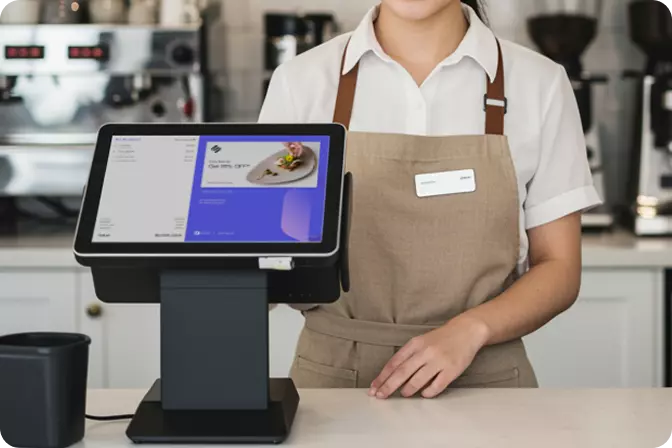


An effective way to manage sales inventory is to record every incoming and outgoing item, reconcile physical stock with sales records, and monitor inventory movements regularly. For food and beverage (F&B) businesses, this process is essential for maintaining ingredient availability, minimising waste, and ensuring that sales are recorded accurately. Depending on operational requirements, businesses can choose from several approaches, ranging from manual record-keeping and spreadsheets to cashier applications and Point of Sale (POS) systems.
The most suitable method depends on factors such as transaction frequency, the number of ingredients managed, food spoilage risks, and the number of outlets. A system that works well for a small food stall may no longer be efficient once the business expands its menu and serves a larger customer base.
Poor inventory management can directly affect the daily operations and profitability of F&B businesses. When ingredients run out without being noticed, customers may be unable to order certain menu items. Conversely, excessive inventory increases the risk of ingredients deteriorating, expiring, or remaining unused until their quality declines.
Discrepancies between recorded stock levels and actual inventory can also create operational challenges. These differences may result from recording errors, ingredient wastage, inconsistent portion sizes, or stock losses. Effective inventory control must therefore connect ingredient purchasing, stock consumption, and the quantity of products sold.
F&B businesses generally rely on three approaches to inventory management: manual record-keeping, spreadsheets, and cashier applications with inventory management features. Each method offers distinct advantages and limitations, so the right choice should reflect the business's operational needs.
Manual inventory tracking involves recording incoming supplies, outgoing items, and remaining stock in a physical book. This method is straightforward to implement because it does not require specialised software. For home-based food businesses or small eateries with limited ingredients and relatively low transaction volumes, manual records can be a practical starting point for establishing consistent inventory control.
However, this approach depends heavily on employees updating records accurately and consistently. As transaction volumes increase, entries may be delayed or overlooked. Business owners must also conduct regular stock counts and compile sales figures separately to determine whether ingredient consumption aligns with actual sales.
Spreadsheet applications such as Microsoft Excel and Google Sheets enable businesses to organise inventory records more systematically. Owners can use formulas to calculate remaining stock, categorise ingredients, and record purchase dates and expiry dates. Information can also be filtered and compared more easily than entries in a physical stock book.
Nevertheless, spreadsheets cannot automatically capture every cashier transaction unless they are connected to a sales system. Employees must update the data manually or rely on available integrations. When several employees maintain separate files, the risk of inconsistent or outdated information also increases.
Cashier applications and POS systems help connect transaction records with sales management. Depending on their features and configuration, these systems can automatically update product stock levels once a transaction is completed. Some also support ingredient tracking, low-stock alerts, and inventory monitoring across multiple branches.
This approach is particularly practical for businesses with high daily transaction volumes or multiple outlets. However, automation does not necessarily guarantee accurate ingredient-level inventory. F&B businesses must still configure recipes, ingredient quantities, measurement units, and procedures for recording damaged or wasted ingredients according to the capabilities of their chosen system.
The following comparison can help business owners determine which approach best suits their operational requirements.
|
Aspect |
Manual Stock Book |
Spreadsheet |
Cashier Application or POS |
|
Initial cost |
Relatively low |
Low to moderate |
Depends on the package and features |
|
Stock updates |
Manual |
Generally manual |
Can be automated for integrated transactions |
|
Sales reporting |
Separate process |
Requires manual input or integration |
Connected to transactions, depending on available features |
|
Data analysis |
Limited |
Flexible with formulas |
Depends on available reporting capabilities |
|
Multi-outlet management |
Less practical |
Requires well-organised data management |
More practical if multi-outlet features are supported |
|
Risk of input errors |
Depends on record-keeping discipline |
Depends on data entry and formulas |
Still possible if the initial data is inaccurate |
No single method is universally suitable for every business. A stock book can work well for simple operations, while spreadsheets provide a more structured approach to record-keeping. A POS system becomes increasingly relevant when manual processes begin to slow down daily operations or make sales monitoring more difficult.
Regardless of the method used, effective inventory control requires consistent procedures. The following steps can help F&B business owners improve inventory accuracy.
Inventory management becomes easier when stock records and transaction data are connected through a coordinated workflow. A cashier application can reduce repetitive data entry and make sales activity easier to monitor, particularly when a business manages an extensive menu or operates multiple outlets.
OMNI POS is worth considering for F&B businesses looking to manage transactions and monitor operations through a POS system. Before selecting a solution, ensure that its available features align with your business requirements, including sales reporting, outlet monitoring, and inventory management where needed. For specific requirements, such as deducting ingredient quantities based on recipes, verify whether the relevant functionality is available in the OMNI POS package you intend to use.
Inventory management practices should evolve alongside business complexity. Small businesses can begin with a stock book or spreadsheet, provided that records are maintained consistently. As transaction volumes grow, menus expand, or new branches open, a cashier application with suitable features can help reduce administrative workloads and improve operational visibility.
Ultimately, managing sales inventory involves more than counting the items that remain in stock. It connects inventory, sales, purchasing, and ingredient consumption so that business decisions can be based on more accurate data. If your F&B business is struggling to consolidate transactions or monitor daily operations, explore OMNI POS at getomni.id to assess how a POS system can support a more structured approach to sales management.

 EN
 ID