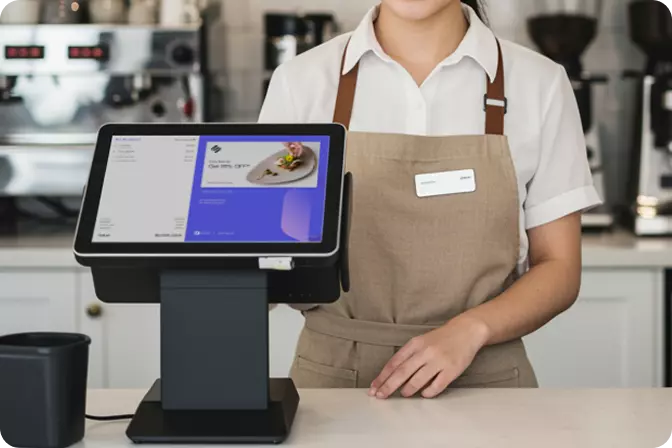


A 2% discrepancy in sales from a revenue of IDR 100 million represents IDR 2 million that needs to be accounted for. For food and beverage (F&B) and retail businesses, even minor recording errors can affect performance evaluations, inventory management, and operational decisions. These risks become more significant as businesses expand to multiple outlets and handle increasingly high transaction volumes.
Understanding how to create a sales report is therefore more than an administrative task. An accurate report enables business owners to track transaction volumes, identify best-selling products, monitor revenue across outlets, and assess changes in performance over time. With a structured recording system in place, sales data can serve as a reliable foundation for informed decision-making rather than merely a collection of figures compiled at the end of the day.
A sales report summarises a business's sales activities over a specific period, such as a day, week, or month. An effective report should do more than display total revenue; it should also provide a clear picture of how those sales figures are generated.
The key components of a sales report include:
These components can be adjusted to suit specific operational requirements. Restaurants, for example, can use best-selling menu data to plan ingredient purchases, while retail businesses can identify high-performing products to prioritise inventory replenishment. A POS system such as OMNI POS helps businesses record transactions digitally, keeping sales data organised and easier to analyse.
Creating an effective sales report involves five key stages: defining the reporting objectives, collecting transaction data, verifying the figures, analysing the results, and determining the appropriate follow-up actions. Businesses can carry out these steps using spreadsheets or a POS system, depending on their scale and operational complexity.
Start by deciding whether the report should cover a daily, weekly, or monthly period. Daily reports are useful for monitoring transactions and reviewing day-to-day operations, while monthly reports help businesses evaluate sales trends and measure progress towards their targets.
The objectives should also be established from the outset. If the purpose is to evaluate a promotional campaign, record the relevant discounts and sales of promoted products. If the goal is to compare outlet performance, apply the same reporting period and performance indicators across all branches to ensure a fair and meaningful comparison.
Every transaction should be recorded consistently, including the products purchased, quantities, prices, discounts, payment methods, and transaction status. Cancelled and returned transactions must also be handled according to established recording procedures to prevent sales figures from being overstated.
For businesses with relatively low transaction volumes, spreadsheets may be a practical starting point. However, as transaction volumes increase, manual recording becomes more susceptible to data-entry errors, duplication, and reporting delays. OMNI POS helps businesses record transactions through a digital point-of-sale system, reducing reliance on manual input and keeping transaction data more organised.
Once all transactions have been recorded, organise the data by date, product, payment method, or outlet. Calculate the total number of transactions and the corresponding sales value, then reconcile these figures with payment records and the cash received.
For example, if a report records IDR 8 million in QRIS payments, this amount should be checked against the transaction records and payment settlement statements. A discrepancy does not necessarily indicate lost revenue, but it should be investigated before the report is used to inform business decisions. Centralised transaction records can simplify this verification process and reduce the effort required to reconcile data from multiple sources.
Sales figures become more meaningful when compared against targets, previous reporting periods, or the performance of other products. Business owners should determine whether changes in revenue are driven by transaction volume, average transaction value, price adjustments, promotional activities, or a combination of these factors.
For instance, revenue may increase by 10% compared with the previous month, while the number of transactions rises by only 2%. This could indicate an increase in average transaction value or a shift in the product mix. Further analysis is needed to establish the underlying cause. Sales data organised by product and outlet can make this evaluation more systematic and help businesses identify areas that require attention.
Conclude the report by highlighting the key findings and outlining the actions that need to be taken. If sales of a particular product decline, review its availability, product placement, pricing, and promotional strategy. If an outlet underperforms, compare its transaction volume and average transaction value with those of other branches.
For multi-outlet businesses, this process becomes more manageable when sales reports from different branches can be monitored through a single system. OMNI POS supports multi-outlet management, enabling business owners to monitor branch performance in a more structured manner without having to consolidate separate reports manually.
The following example illustrates a daily sales report for an F&B outlet. All figures are for illustrative purposes.
|
Metric |
Result |
|
Reporting period |
20 October 2026 |
|
Total transactions |
120 |
|
Gross sales |
IDR 6,000,000 |
|
Discounts |
IDR 300,000 |
|
Net sales |
IDR 5,700,000 |
|
Average transaction value |
IDR 47,500 |
The average transaction value is calculated by dividing net sales by the total number of transactions:
IDR 5,700,000 ÷ 120 = IDR 47,500.
This template can be expanded to include product names, quantities sold, payment methods, and outlet names, depending on the business's reporting requirements.
For businesses operating multiple branches, it is important to use consistent reporting formats and performance indicators. This allows management to compare outlet performance more reliably and identify branches that require further evaluation. A POS system with multi-outlet management capabilities, such as OMNI POS, can simplify sales monitoring across multiple locations.
A sales report may appear well organised yet still produce misleading insights if the underlying data is inconsistent. Common mistakes include confusing gross sales with net sales, failing to record returns, comparing different reporting periods, and overlooking transactions that have not been fully processed.
Additional challenges arise when individual outlets use different recording formats. Inconsistent approaches to discounts, cancellations, and payment methods can complicate the consolidation process. Businesses should therefore establish standardised recording procedures and conduct regular checks. An integrated POS system can help maintain consistency, accelerate reporting, and reduce repetitive administrative tasks.
Accurate sales reports help F&B and retail businesses understand their operational performance, identify growth opportunities, and make data-driven decisions. However, as transaction volumes grow and businesses expand across multiple outlets, the need for a system that simplifies transaction recording and sales monitoring becomes increasingly important.
OMNI POS helps businesses manage transactions through a digital point-of-sale system while supporting multi-outlet operations. With more structured transaction records, business owners can reduce their reliance on manual reporting and evaluate branch performance more efficiently.
If your business is struggling to consolidate sales reports from multiple outlets or needs better visibility into daily transactions, explore OMNI POS at getomni.id. Discover how managing transactions and monitoring sales through a single system can support more efficient business operations.

 EN
 ID