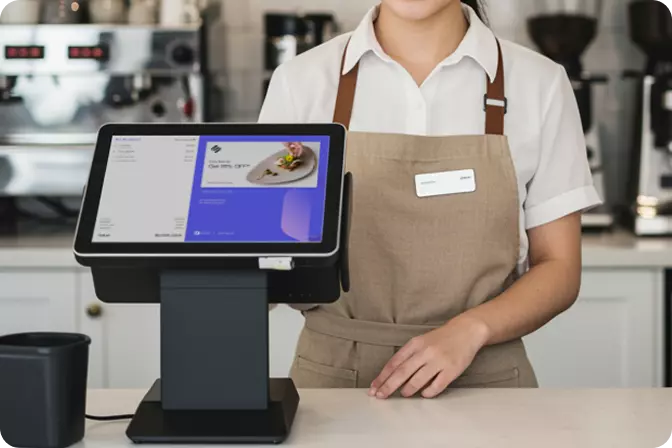


A clinic POS system helps clinic owners and managers organise transactions, process payments, and maintain more structured sales records. As digitalisation continues to reshape the healthcare industry, a Point of Sale (POS) system can help reduce administrative workloads and provide greater visibility into a clinic’s business activities. With more organised records, management can evaluate operational performance based on transaction data rather than estimates.
Digitalising the checkout process involves more than replacing manual records with a computerised system. Clinics must also ensure that every transaction is properly recorded, payments can be easily tracked, and reports provide meaningful insights for decision-making. Choosing the right clinic POS system is therefore an important step towards improving operational efficiency and preparing a clinic for future growth.
Digitalisation in healthcare now extends beyond electronic medical records and online consultations. Transaction management has also become an important consideration, as clinics may provide a variety of services, ranging from doctor consultations and medical procedures to laboratory tests and healthcare product sales. Without structured transaction records, staff may spend more time compiling sales reports and reconciling financial records.
A POS system helps organise sales transactions, making administrative processes more efficient. However, clinics need to understand the distinction between a POS system and clinic management software. A POS system focuses primarily on transactions and sales, while electronic medical records, prescription management, and doctor scheduling require systems specifically designed for healthcare services.
Patients now have access to a range of payment options, including cash, bank transfers, and QRIS. Supporting relevant payment methods allows clinics to offer a more convenient checkout experience. For clinic managers, consistent payment records also make it easier to review transactions and reconcile incoming payments.
A POS system with a structured payment workflow can reduce the need for repetitive data entry. However, clinics should ensure that their chosen payment methods meet patients’ needs and are compatible with the selected POS system. Transactional convenience must go hand in hand with accurate record-keeping and adequate security procedures.
Sales reports provide an overview of transaction activity over a specific period. Information such as daily sales totals, monthly revenue comparisons, and product category contributions can help clinic owners assess business performance. Well-maintained transaction records also make it easier to identify discrepancies between sales reports and payment receipts.
A POS system with structured reporting capabilities helps management spend less time compiling data manually. With information that is easier to access, clinic owners can identify changes in sales performance and determine which areas require further evaluation. Nevertheless, sales figures do not necessarily represent net revenue or profit, as operating expenses and other financial components must also be taken into account.
When a clinic expands to multiple branches, operational challenges extend beyond transaction recording. Management must ensure that reports from each location can be reviewed consistently, sales performance can be compared easily, and oversight does not rely entirely on manual reports from individual branches. As the number of locations grows, having clear visibility into overall business performance becomes increasingly important.
A POS system with multi-outlet capabilities can help businesses manage transactions across several locations within a single system, depending on the platform’s functionality. For clinic owners operating a network of branches, this approach can simplify sales monitoring and performance evaluation at each location. Before choosing a system, ensure that its multi-outlet features support the business structure, reporting requirements, and access control policies in place.
Choosing a clinic POS system should begin with an assessment of operational needs rather than simply the number of features available. Clinic managers should evaluate its ability to record transactions, support payment methods, generate clear sales reports, manage user access permissions, and accommodate multiple branches when necessary.
Clinics should also ensure that the POS system aligns with their existing workflows. If operations require integration with electronic medical records, inventory management, or other administrative software, compatibility should be verified before implementation. This helps ensure that the chosen POS system genuinely simplifies daily tasks instead of introducing additional processes that make staff workloads more complicated.
Yes. A POS system can help clinics manage transactions, payments, and sales reports, particularly when their operations also involve selling medicines or healthcare products. Its suitability depends on the available features and the transaction requirements of each clinic.
However, a POS system does not automatically replace clinic management software. Electronic medical records, prescription management, doctor scheduling, and sensitive patient information require specialised systems suited to healthcare operations. Clinic owners should therefore assess integration requirements, available features, and data security procedures before making a decision.
Efficient transaction management is one of the foundations of sustainable clinic growth. Accurate records and easy-to-understand reports help management reduce reliance on manual processes while gaining a clearer picture of sales activity. A suitable POS system can also support consistent transaction recording as a business expands its operations.
OMNI POS is worth considering for clinic managers seeking support with transaction recording, sales monitoring, and business operations management. Before making a decision, ensure that the required features, including payment methods, reporting capabilities, and branch management, align with the system’s available functionality.
Visit getomni.id to learn more about OMNI and assess whether it meets your clinic’s operational needs.

 EN
 ID