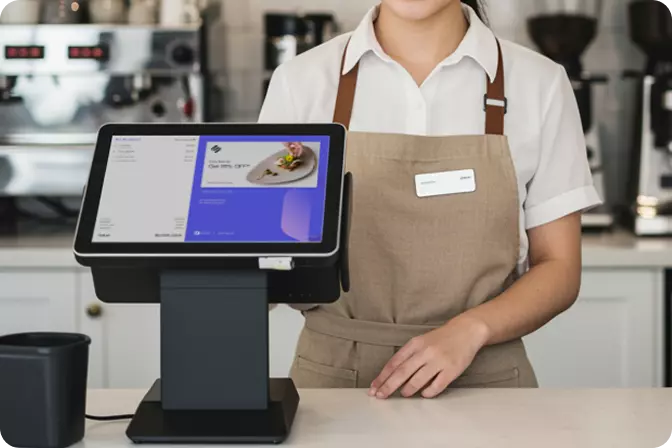


The right POS system for a multi-outlet business has to bring sales data from every branch together in real time, not just log transactions at each store separately. That's the short answer. The rest comes down to detail: what actually separates an ordinary checkout system from a POS system genuinely ready to support business growth.
Many business owners only realize their system is a problem after opening a third or fourth outlet. Sales reports arrive late. Stock between branches falls out of sync. The owner has to open five different apps just to know the day's revenue. This problem almost always comes from the same root cause: the checkout system chosen at the start was built for one store, not for a network.
Conventional checkout apps work fine for a single location. Once a business has two outlets or more, every added branch means one more standalone data source. The owner ends up doing manual recaps, usually through a spreadsheet, just to see how all the stores are performing combined.
A manual reconciliation process like this is prone to human error and eats up hours every week. What actually costs more isn't the time itself, but the business decisions that get delayed because the data arrives late.
The following five criteria serve as the first filter before a multi-outlet business owner decides which POS vendor is worth committing to for the long run.
A good cloud POS system displays sales data from every outlet on a single dashboard, updated in real time with no manual syncing required. This is the most basic criterion, and also the one most often overlooked when a business is just starting out with a single store.
Ask the vendor whether data across outlets syncs automatically or requires a manual export and import process. If the answer is manual, that system wasn't built for multi-outlet scale.
A multi-outlet business owner needs to see performance per branch as well as combined performance, without logging in over and over. This combined dashboard is usually what separates an enterprise POS system from an SMB-grade checkout app.
This feature isn't just a convenience. How quickly an owner can act, say, closing an underperforming outlet or restocking a fast-selling one, depends entirely on how quickly that data can be read in one view.
A checkout system that works well for five outlets isn't necessarily good for fifty. Scalability means the system stays stable and fast even as transaction volume and the number of branches grow sharply in a short period.
OMNI is built specifically for this need, with an architecture designed for F&B and retail brands planning to expand across many branches, not just hold steady at one location.
Modern multi-outlet businesses rarely rely on manual checkout alone. Self-ordering kiosks, integration with online ordering apps, and customer loyalty programs are now part of the same ecosystem. A good checkout system needs to connect with all these channels without requiring separate, disconnected add-on systems.
OMNI brings POS, self-ordering kiosks, and a loyalty program together in one ecosystem, so owners don't need to manage three or four different vendors just to run one business's daily operations.
A checkout system stores transaction data, customer data, and stock data. Just a few hours of downtime can mean direct sales lost during peak hours. Ask the vendor about guaranteed uptime and how their data backup process works.
Businesses with multiple outlets carry a bigger downtime risk than single-location businesses, since the impact multiplies across every branch affected at once.
Choosing a POS system for a multi-outlet business isn't about having the most features, it's about having a foundation ready to support growth. The five criteria above, from real time data integration to system security, serve as the first filter before an owner decides which vendor to commit to for the long run.
If you're currently weighing an upgrade to your checkout system across several branches at once, see for yourself how OMNI handles all five criteria in a single platform.

 EN
EN
 ID
ID